Two-factor authenticator
A secure, simple, modern, and private authenticator. No account, no server. Your codes stay encrypted on your device.
Free and open source · macOS 14 or later · Apple silicon
Features
The everyday features, done right.
-
Add accounts any way
Scan with the camera, select a QR code anywhere on screen, drop an image, paste an otpauth link, or type the key by hand.
-
Move over from another app
Import Google Authenticator migration codes and backups from Aegis, 2FAS, Ente Auth, Proton Authenticator and Bitwarden, or a CSV export from Apple Passwords.
-
Search and organize
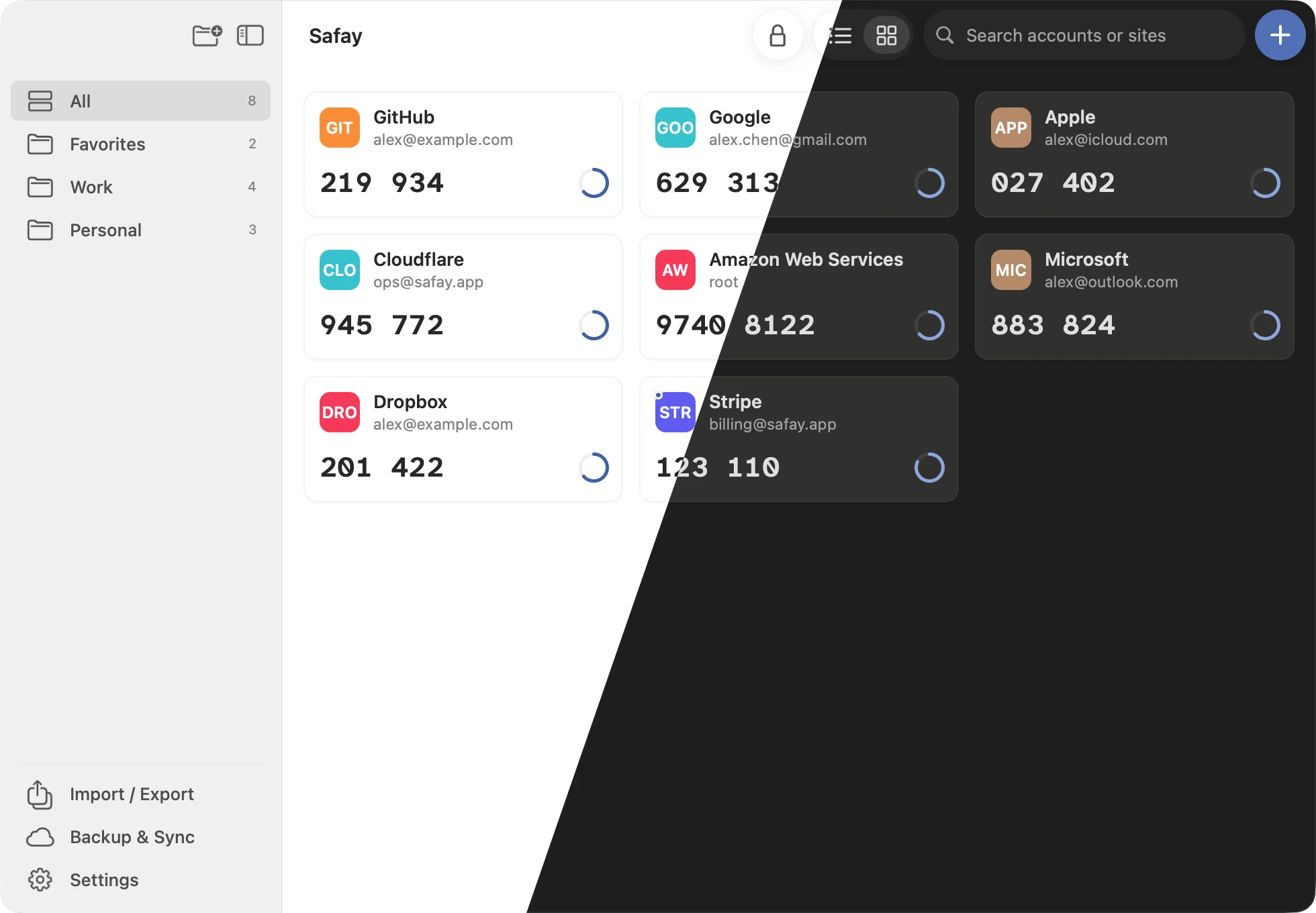
Search by service or account, sort accounts into categories (one account can be in several), drag to reorder, and switch between cards and a list.
-
Locks itself
The vault locks after idle time and whenever the computer sleeps or its screen locks. Repeated wrong passwords add a delay.
-
Standard codes, and two more
RFC 6238 TOTP with SHA-1, SHA-256 or SHA-512, 6 or 8 digits, 30 or 60 seconds, plus Steam Guard and Battle.net. One click copies a code.
-
Conflicts and recovery
If two devices change the vault at once, review the differences and keep either copy or merge both. A damaged vault rolls back to the last good copy.
Quick panel
Your codes, one shortcut away
Open the panel from the menu bar or system tray, type a few letters, and click to copy a code. Global shortcuts open the panel or the main window, or let you select a QR code on screen to add an account.
- ⌘⌥ZOpen the quick panel
- ⌘⌥XOpen the main window
- ⌘⌥ASelect a QR code on screen
Shortcuts as on macOS; change them in Settings. Alfred, Raycast and Tinycast can search your accounts too.

Security
Encrypted on your device, and everywhere it goes.
Safay is built on standard, well-studied cryptography, and its full security model is published with the source code.
-
01
Local vault
Encrypted, on your device
Accounts, secrets and categories live in a single encrypted vault on your device. Plaintext exists only in memory while the vault is unlocked, and there is no Safay server that could ever receive it.
-
02
AES-256-GCM · Argon2id
Strong, standard cryptography
AES-256-GCM authenticated encryption, with the key derived from your master password by Argon2id (RFC 9106, 64 MiB, 3 passes). Every vault has its own random salt, and a tampered file is rejected.
-
03
Touch ID · Secure Enclave
Biometric unlock
Unlock with a fingerprint where the device has a secure chip for it: with Touch ID, the vault key stays wrapped by the Secure Enclave. The master password is never stored, and Safay never sees your fingerprint.
-
04
Own password
Encrypted import and export
An export file is encrypted with a password of its own, in the same format as the vault. Nothing is imported until the file passes authentication.
-
05
Ciphertext only
Encrypted backups
A backup location only ever holds the encrypted vault, a device name and a time. The storage provider can't read your accounts, and a backup opens only with your master password.
Backup and sync
Back up to the storage you already trust
Turn on backup and Safay keeps an encrypted copy of your vault in one place you choose, and syncs changes from your other devices through it.
On Dropbox, OneDrive and Google Drive, the backup is kept in Safay's own folder: Apps › Safay, or a Safay folder in My Drive.
 iCloud
 Dropbox
 OneDrive
 Google Drive
 Nextcloud
- WebDAV
- Any synced folder
Download
Free, with no account to create.
Safay is open source under the MIT license, with no ads, in-app purchases or tracking. The app is signed and notarized, and updates itself once you agree.
Version 1.3.0 · macOS 14 or later · Apple silicon
- macOSAvailable
- WindowsComing soon
- LinuxComing soon
- iPhone and iPadComing soon
- AndroidComing soon